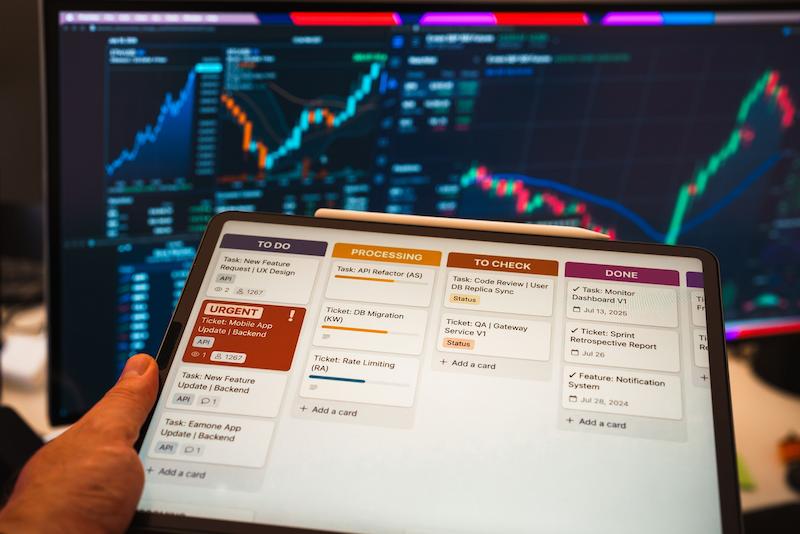
Tracking time has become essential for everyone from freelancers to managers to help understand and balance work. Tracking time spent on different tasks has also allowed remote workers to stay coordinated.


The best time tracking software shows where time is spent, including billable client work and distractions. Controlio is the best time tracking software and can be found at https://controlio.net, with nine others following closely behind. Consider each option’s ease of use, integrations, and price when creating your comparison.
Top 10 Time Tracking Software for 2027
1. Controlio
Provides a clear picture of how work time is spent and helps with coaching and billing.
Key Features: Automatic time tracking, reports of work activity and web usage, productivity insights.
Pros: Easy to use and implement. Reports help with coaching and billing.
Cons: The software’s monitoring features can only be fully effective if employees are briefed on the usage.
2. Clockify
A time tracking solution popular with field-based employees and teams.
Key Features: Time sheets, employee approval of time sheets, invoicing.
Pros: A generous and robust free plan and easy scalability.
Cons: More features and ease of use would improve the software.
3. Harvest
A time tracking solution for creative agencies and other service-based businesses to assist them with tracking time spent on client work and to aid them in invoicing.
Key Features: Time tracking, invoicing, and expense management.
Pros: Overall easy to use and timely invoicing.
Cons: No free plan.
4. TimeCamp
Automates a good chunk of tracking.
Key features: website and app tracking, productivity reports, and integration with Jira and Trello.
Pros: good reports with a free plan.
Cons: The interface appears outdated, and automation takes time to set up.
5. Paymo
An all-in-one solution for small agencies.
Key features: time management and invoicing.
Pros: user-friendly interface, free plan for up to 5 users.
Cons: too limiting for larger agencies.
6. Everhour
Meets the tracking needs of project management teams.
Key features: project budget and workload management within Jira and Trello.
Pros: numerous integrations and customizable reports.
Cons: no free plan and relies too heavily on integrations.
7. Beebole
Offers a variety of project configurations for tracking costs and margins.
Key features: project tracking with custom rates, reports, and integrations.
Pros: compatible with industry regulations.
Cons: not good for use with a single client.
8. Time Doctor
Emphasis on tracking and reporting time spent on client work.
Key features: integrations with client invoicing and payroll.
Pros: Time tracking and reporting for client work.
Cons: may appear intrusive to employees.
9. My Hours
User-friendly for freelancers and consultants.
Key features: timers and project and client tracking.
Pros: offers a free plan.
Cons: lacks integration and automation.
10. BigTime
Project management and time tracking solution for consultancies.
Key Features: AI Resourcing, Tracking Billable and Non-Billable Hours, Profitability Reporting. Pros: Designed specifically for professional service firms. Cons: High cost, complexity, and limited utility for small businesses. Quick Comparison. Software Best For Standout Feature Controlio Activity and productivity reports Clockify Field service and GPS tracking Harvest Agency and invoicing TimeCamp Automatic time tracking and AI features Paymo Client and project management Everhour Native project management integrations by Beebole Custom and secure reporting Time Doctor Remote and client teams My Hours Simplified billing and reporting for consultants at BigTime AI resourcing for professional service firms Which Software is Right for You? The best place to start is with your most pressing need. Paymo and My Hours are good options for individuals, while Harvest is good for agencies. For field service and construction, Clockify would be a good choice, and for teams already working in Jira and Asana, Everhour would be good. Everhour has native integration to both platforms. If you’re interested in seeing how your employees spend their time at work, Controlio would be a good choice. Most of these vendors have free trials, so be sure to take advantage of that and try out a few.
Conclusion
Time tracking software is becoming strategic software for better billing and more efficiently managing team workloads. The best time tracking software is the one the team is most likely to use daily. Look for a balance of an easy-to-use interface and reliable reporting. Try a few different ones to evaluate which fits best with your business.
FAQs
- What is time tracking software, and why is it important?
Time tracking software shows how time is spent on various tasks and projects, thereby helping you to bill clients accurately, evenly distribute workload, and improve overall productivity.
- What is the best time tracking software for freelancers?
My Hours and Paymo are good, affordable options that have time tracking and billing integrated.
- Are there free options?
TimeCamp, Paymo, and Clockify offer free plans.
- Can it assist in managing remote teams?
Definitely. Features like activity reports and client portals increase accountability and transparency for remote workers.